Domains and Fields
Simulations in Sofia are built from two abstractions: a domain, which
describes the set of points where values live, and a field, which assigns
symbolic values to those points. A Domain is
the general interface; Grid is the
implementation for structured meshes and is the subject of most of
this page. Other domain types (particle sets) will follow, and fields are
specialised to match: a GridField is a field
that lives on a Grid.
Grids
A Grid is a structured mesh object which mainly
provides easy access to the symbols related to the grid such as indices
and coordinates.
The following symbols are available (for a 3D Grid):
Grid.coordinates (Grid.x, Grid.y, Grid.z): Continuous spatial coordinates.Grid.dds (Grid.dx, Grid.dy, Grid.dz): Grid spacings.Grid.Ns (Grid.Nx, Grid.Ny, Grid.Nz): Number of grid points (or cells) along each axis.Grid.Ls (Grid.Lx, Grid.Ly, Grid.Lz): Physical domain lengths in each direction.Grid.unit_vectors (Grid.ihat, Grid.jhat, Grid.khat): Orthonormal basis vectors defining the coordinate directions (x,y,z).
These symbols can be used when defining e.g. update equations, initial conditions and boundary conditions.
A Grid instance can be created
by passing the number of dimensions and optionally a discretisation_order.
This parameter controls the order of accuracy of the finite difference schemes used for spatial derivatives,
as well as the order of interpolation. The default is 2, corresponding to second-order accurate derivatives and interpolation.
from sofia import Grid

G = Grid(ndim=2, discretisation_order=2)
x, y = G.coordinates
Boundaries can also be specified when creating the grid. More details on this can be found in the tutorial on Boundary Conditions.
Note
The recommended way to control the accuracy order for automatic finite difference discretisation of derivatives is through the discretisation_order argument of the Grid,
since generally the number of ghost cells used for boundary conditions is related to the accuracy order via the size of the stencils.
However, it is possible to control the discretisation order on a specific derivative (see pde.fdm.diff()).
Coordinate transformations
Simple coordinate transformations are supported, for which sofia will automatically insert
approprate scaling factors when required.
The current version of sofia has limited support for these transformations:
analytical: the transformations need to be specified using symbolic functions
separable: the transformations should be individual functions for each dimension that only depend on that dimension’s coordinate
A transformation can be specified when creating a new Grid:
Important
The input transformation function should map the computational coordinates to physical coordinates.
from sofia import Grid

# Separate transformation function per dimension
transformations = (
    lambda x: x**3,
    lambda y: y,
    lambda z: z*2,
)
G = Grid(ndim=3, transformations=transformations)
The transformations argument expects the transformations from the computational domain to the physical domain.
When possible, sofia will automatically solve for the inverse transformations.
However, in some cases the solution is either not unique (in which case a warning will be given) or can not be
found automatically.
In such cases, it is recommended (or necessary) to manually supply also the transformations_inverse argument, with
again a tuple of ndim functions.
The result of the transformations propagates through the program, and can be seen in multiple places:
>>> from sofia import Grid, Field

The inverse is not unique, so a warning is shown with the possible
choices of inverse transformations.
The first option is chosen by default
>>> G = Grid(ndim=2, transformations=(lambda x: x**2, lambda y: y))
[{_x1: -sqrt(_x), _x2: _y, _x3: _z}, {_x1: sqrt(_x), _x2: _y, _x3: _z}]

>>> G.physical_coordinates
(G.x**2, G.y)

>>> G.dds # Computational spacings (no effect of transformations)
(G.dx, G.dy)

>>> G.dds_physical # Includes Lame coefficients
(2*G.x*G.dx, G.dy)

>>> from sofia.pde import diff, gradient
>>> u = Field('u', G)

Derivatives do not take the scaling factors into account by default:
>>> diff(u, G.x)
Derivative(u, G.x)

However, they can be included by using the ``physical=True`` argument:
>>> diff(u, G.x, physical=True)
Derivative(u, G.x)/(2*G.x)

The vector derivatives include the scaling factors automatically:
>>> gradient(u)
(Derivative(u, G.x)/(2*G.x))*G.ihat + (Derivative(u, G.y))*G.jhat
Support for coordinate transformations in other parts of the code is currently:
ir.WallModelReconstruct: full support (automatic)Geometry.sdf: full support (automatic)ir.EddyViscositySmagorinsky: experimental (automatic)ir.ProjectDivFree: not supported yet (coming soon)
GridFields
Fields on a grid are represented by GridField,
which adds the notions that follow from a structured mesh: a shape derived from the
grid, an optional staggering within the cell, and finite-difference derivatives.
Constructing a Field with a
Grid as its domain gives a
GridField automatically, so either name can be
used. A specifier for the “staggeredness” can be passed; these can be found in
sofia.field.staggered.Staggered.
from sofia import Field, Staggered

# Field defined at cell centers (default)
u = Field("u", domain=G)

# Field defined on vertical cell edge
v = Field("v", domain=G, staggered=Staggered.XFACE)
By default, each new instance of a Field has the same shape as the Grid it is defined on:
>>> from sofia import Field, Staggered, Grid
>>> G = Grid(ndim=2, discretisation_order=2)
>>> u = Field("u", domain=G)
>>> G.shape
(G.Nx, G.Ny)
>>> u.shape
(G.Nx, G.Ny)
>>> G.ndim
2
>>> u.ndim
2
It is also possible to restrict the dimensionality of a Field to a subset of the Grid dimensions:
>>> from sofia import Field, Staggered, Grid
>>> G = Grid(ndim=2, discretisation_order=2)
>>> u = Field("u", domain=G, axes=(G.x,))
>>> u.shape
(G.Nx,)
>>> u = Field("u", domain=G, axes=(G.y,))
>>> u.shape
(G.Ny,)
>>> u.ndim
1
A Field representing a scalar can also be useful and has empty axes=(). For example, a dynamic value for dt could be represented by a scalar:
Drawing Grids
For reference, instances of Grid can be rendered (via matplotlib) using pde.drawing.draw_grid().
This will display ghost cells, positions of boundaries, and optionally the locations (and indexing) of one or more
fields on the grid, taking into account their staggeredness.
from sofia.pde.drawing import draw_grid

draw_grid(G, u, v, edge="start")
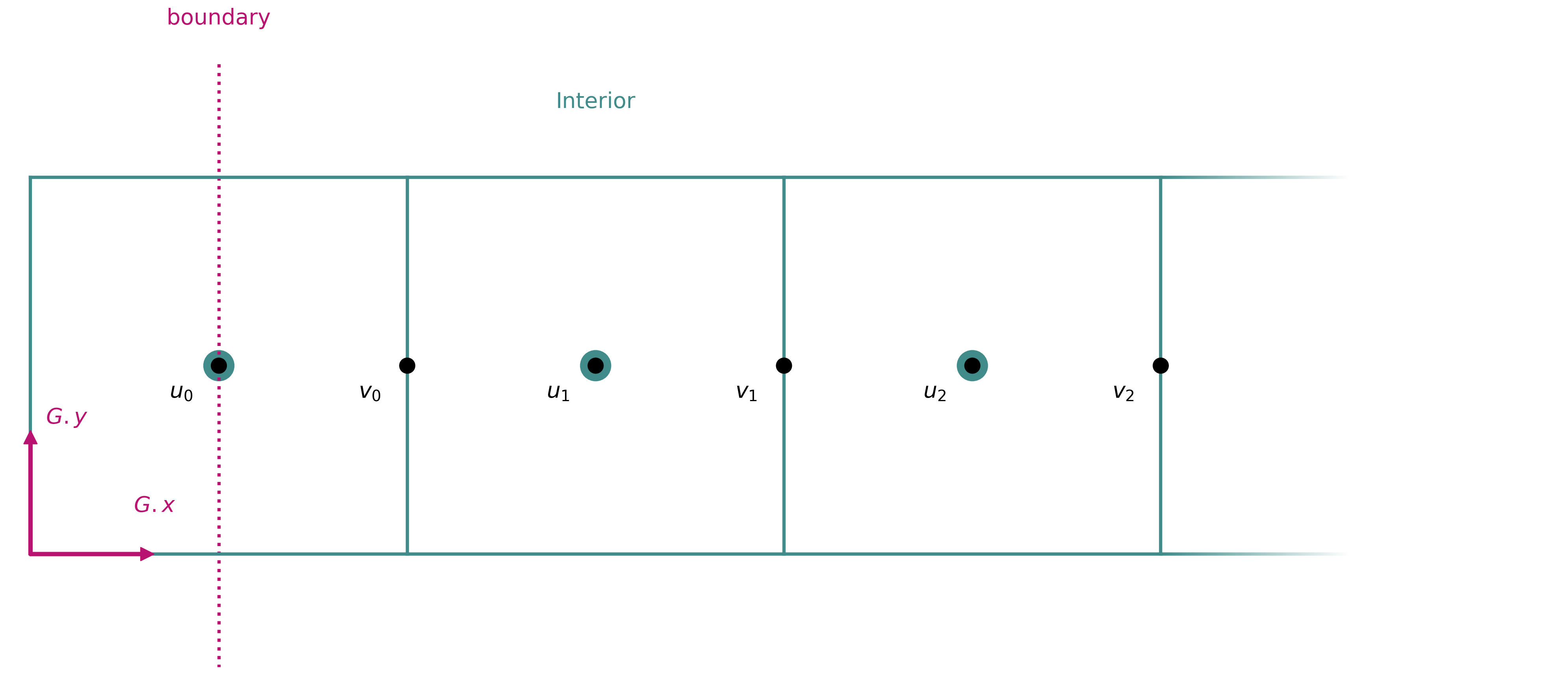
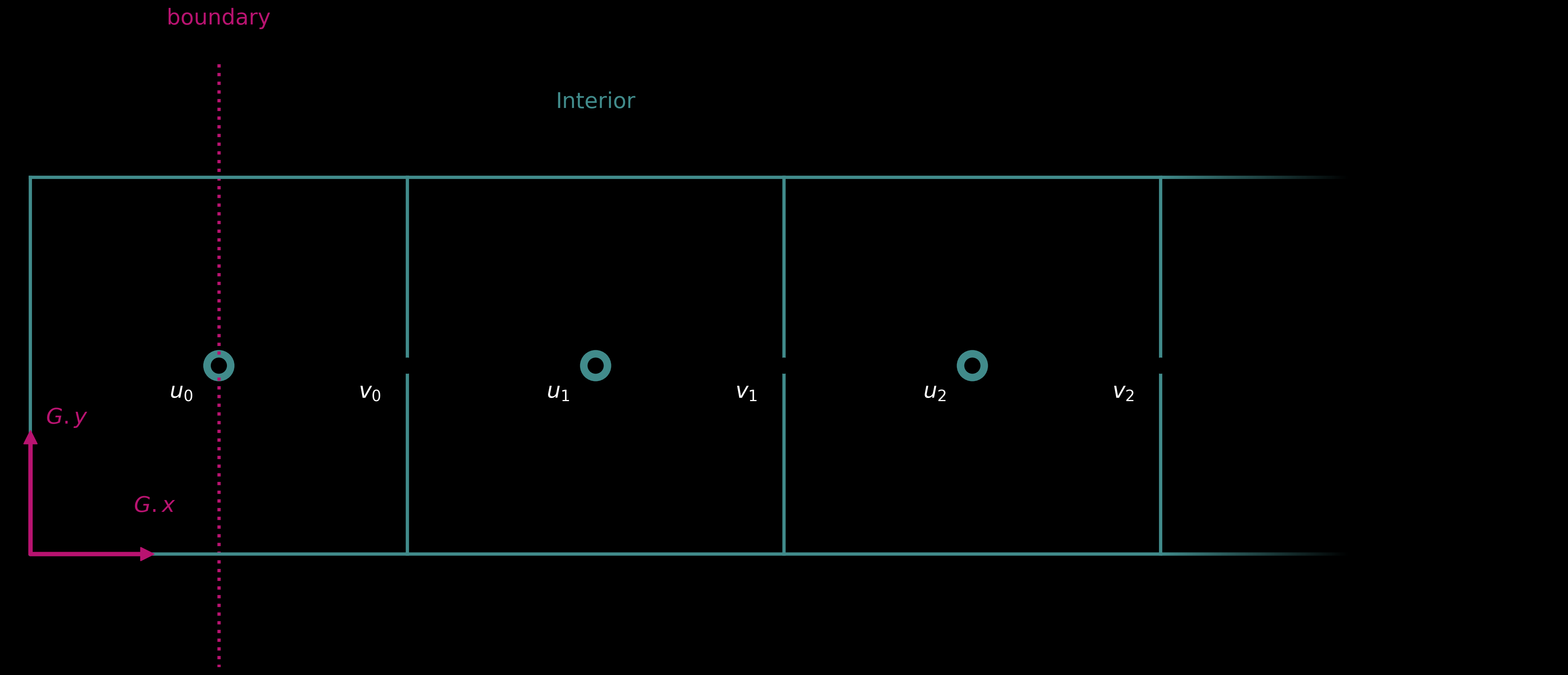
draw_grid(G, u, v, edge="end")
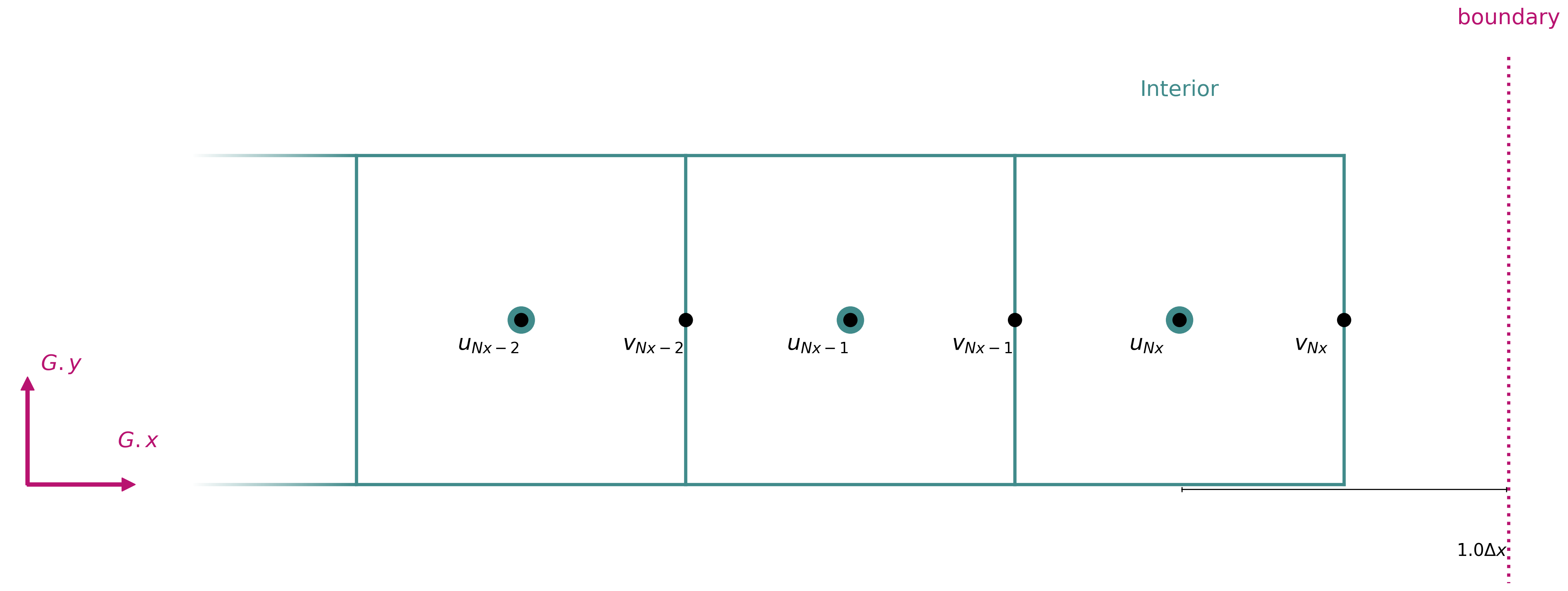
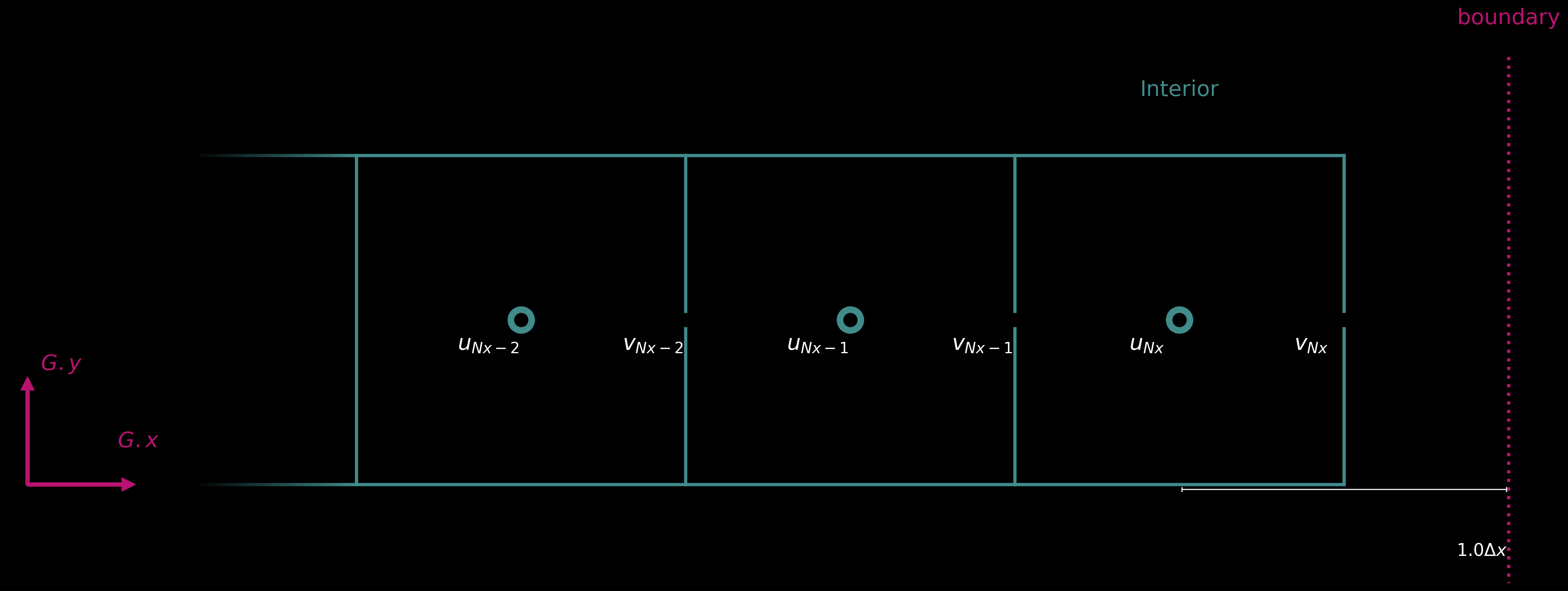
Schematic showing a grid along the x-direction with Fields u and v.
Note
The images above show periodic boundaries, with the left boundary being on the first cell and the right boundary one cell past the last cell, which then wraps around. This is the default behaviour when no boundaries and ghost cells are specified. For more information on boundary conditions see the Boundary Conditions section.
Geometry
Geometries can be imported from numpy .npz files with the following format:
points:(N, 3)float32 array of point locationsindices:(N*3,)int32 array of triangles (reshaped from(N,3), where each triangle is specified by the indices of 3 points in thepointsarray)
Conversion from pyvista-compatible geometry files can be performed with the following script:
# Converting `input_file` to `output_file.npz`
mesh_pv = pv.read(input_file)
mesh_pn = from_pyvista(mesh_pv)

output_file = output_file.with_suffix(".npz")

print("Mesh:")
print(mesh_pn)
points = mesh_pn.points.numpy()
indices = mesh_pn.cells.numpy()

print("Points:", points.shape)
print("Indices:", indices.shape)

np.savez(output_file, points=points, indices=indices)
print(f"Saved to {output_file}")
Geometries are represented symbolically in the code by sofia.geometry.Geometry, which can be used inside symbolic code.
In the following simple example the SDF of a given geometry is computed and returned in the sdf field:
from sofia import Grid, Field, Geometry, ir
from sofia.pde import simulate
G = Grid(ndim=3)
s = Field('s', G)
geo = Geometry('geo')

code = ir.CodeBlock(
  # Geometries are declared as inputs like Fields
  ir.Inputs(geo),
  # The symbolic SDF is available directly on the geometry
  s << geo.sdf(G),
  ir.Outputs(s)
)

# The path to the geometry file can be passed as string to the generated program
file_path = "/path/to/geometry.npz"
result = simulate(code, {G: dict(shape=(10,10,10))})(file_path)
The sofia.geometry.Geometry.sdf() function supports many options, which link to different SDF algorithms and parameters in
the warp backend.
Also wall models are supported natively, via the sofia.ir.pde.WallModelReconstruct token, which takes either a symbolic wall function or
the name of a pre-implemented model (currently only reichardt).
Note
User-supplied wall functions should be of the form u+ = f(y+) rather than y+ = f(u+) for now. Support for the latter
form is coming soon.
The sofia.ir.pde.WallModelReconstruct token directly implements the reconstruction of velocity fields in the vicinity of the geometry,
which forms the basis for wall-modelled immersed boundary methods.
For example, the following code implements an incompressible Navier-Stokes solver with reconstruction of the velocity fields (u,v,w), using Reichardt’s wall function:
u = Field("u", G, Staggered.XFACE)
v = Field("v", G, Staggered.YFACE)
w = Field("w", G, Staggered.ZFACE)
p = Field("p", G, Staggered.CENTER)
yp = sp.Symbol("yplus")
geo = Geometry("geo")
nu = 5.2e-5

# Navier-Stokes momentum update equations
uvw = G.vec(u, v, w)
diffusion = laplacian(u) * G.ihat + laplacian(v) * G.jhat + laplacian(w) * G.khat
convection = (
    divergence(u * uvw) * G.ihat
    + divergence(v * uvw) * G.jhat
    + divergence(w * uvw) * G.khat
)
rhs = nu * diffusion - convection

wm = ir.WallModelReconstruct(
    "reichardt",
    yp, # symbol for yplus
    (u, v, w), # velocities
    geo, # geometry
    nu, # kinematic viscosity (constant)
    2.5,  # band height
    6,  # match height
    15,  # wall fn solver iterations (Newton)
    1e2,  # max dist (for geometry queries)
    1,  # side (1/-1 switch between inside/outside of geometry; 0 means double-sided)
)

code_ir = ir.CodeBlock(
    ir.Inputs((geo, u, v, w)),
    ir.For(
      100,
      [
          ir.RKn(
              {
                  u: rhs.coeff(G.ihat),
                  v: rhs.coeff(G.jhat),
                  w: rhs.coeff(G.khat),
              },
              "3",
              G.dt,
              ir.ProjectDivFree((u, v, w), p),
          ),
          # Reconstruct (u,v,w) by simply inserting the token here:
          wm,
      ],
    ),
    ir.Outputs((u, v, w)),
)
The band parameter controls up to how far from the geometry the reconstruction should be applied,
while the match_height controls from how far from the geometry the bulk velocity points are sampled.
Both are in units of DD = min(G.dds_physical).
Wall-modeled drag coefficients
Also wall-modeled drag coefficients can be computed automatically with the sofia.ir.pde.WallModelReconstruct
token, by using the difference in the velocities before and after the reconstruction to compute a body force, via the
relation F_u = rho * V * (u_r - u_0) / dt with rho the density, V the total volume of the simulation domain
(this assumes the grid is evenly spaced), u_r the velocity after reconstruction and u_0 the velocity before
reconstruction. Similarly, the forces F_v and F_w can be computed, and all force components will be located
at the staggered grid locations.
This example sketches how this technique can be used inside simulations:
u = Field("u", G, Staggered.XFACE)
v = Field("v", G, Staggered.YFACE)
w = Field("w", G, Staggered.ZFACE)

u_0 = Field("u0", G, Staggered.XFACE)
v_0 = Field("v0", G, Staggered.YFACE)
w_0 = Field("w0", G, Staggered.ZFACE)

# Body forces
F_u = Field("Fu", G, Staggered.XFACE)
F_v = Field("Fv", G, Staggered.YFACE)
F_w = Field("Fw", G, Staggered.ZFACE)


code_ir = ir.CodeBlock(
  ir.Inputs((geo, u, v, w)),
  ir.For(
    100,
    [
      # <code that performs the timestep update with ir.RKn>
      u_0 << u,
      v_0 << v,
      w_0 << w,
      # <code that reconstructs u,v,w with ir.WallModelReconstruct>
      F_u << rho * V * (u - u_0) / G.dt,
      F_v << rho * V * (v - v_0) / G.dt,
      F_w << rho * V * (w - w_0) / G.dt,
      # <code that sums body forces to compute drag coefficient>
    ],
  )
)